

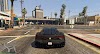
GTA V Enhanced on GTX 1050 Ti (1080p) – Performance Analysis & Optimization Guide

Grand Theft Auto V (GTA V) remains one of the most popular open-world games ever released. With its Enhanced Edition, improvements in graphics and optimizations have been introduced(Through it’s not very high, but they added Ray Tracing😅). However, running GTA V Enhanced on an older mid-range GPU like the NVIDIA GTX 1050 Ti requires tweaking settings for a balance between visual fidelity and performance.
In this detailed analysis, we will cover:
1. System Requirements
2. GTX 1050 Ti Hardware Overview
3. 1080p Performance Benchmark
4. Recommended Graphics Settings
5. Optimization Techniques
6. Mods and Additional Enhancements
7. Conclusion: Is the GTX 1050 Ti Still Worth It for GTA V Enhanced?
⸻
Don’t have a PC? Don’t worry you can Play it in your mobile.
Want to play GTA V in Android? Click Here :)
1. System Requirements for GTA V Enhanced Edition
Before testing GTA V Enhanced on the GTX 1050 Ti, let’s review the official system requirements:
Minimum System Requirements
• OS: Windows 10 64-bit
• CPU: Intel® Core™ i7-4770 | AMD FX™-9590
• RAM: 8GB
• GPU: NVIDIA GeForce® GTX 1630 (4GB VRAM) | AMD Radeon™ RX 6400 (4GB VRAM)
• Storage: 105GB available space
•
- SHADER MODEL VERSION: 6.0
Recommended System Requirements
• OS: Windows 10 64-bit
• CPU: Intel® Core™ i5-9600K | AMD Ryzen™ 5 3600
• RAM: 16GB
• GPU: NVIDIA GeForce® RTX 3060 (8GB VRAM) | AMD Radeon™ RX 6600 XT (8GB VRAM)
• Storage: 105GB available space
•
- SHADER MODEL VERSION: 6.0
The GTX 1050 Ti sits between the minimum and recommended specifications, making it a suitable but not ideal GPU for GTA V Enhanced at 1080p. Proper optimizations will be required to ensure smooth gameplay.
⸻
2. GTX 1050 Ti – Hardware Overview
The NVIDIA GTX 1050 Ti, released in late 2016, is a Pascal-based GPU designed for budget gaming. While it is still capable of handling modern titles, its 4GB VRAM can be a limiting factor in graphically demanding games.
GTX 1050 Ti Specifications:
• Architecture: Pascal
• CUDA Cores: 768
• Base Clock: 1290 MHz
• Boost Clock: 1392 MHz
• VRAM: 4GB GDDR5
• Memory Bus: 128-bit
• TDP: 75W (No external power required)
• DirectX: 12 (Feature Level 12_1)
While the 4GB VRAM allows GTA V Enhanced to run at decent settings, memory-intensive settings like high textures and shadows need to be adjusted to prevent performance drops.
⸻
3. 1080p Performance Benchmark – GTX 1050 Ti
We tested GTA V Enhanced on a GTX 1050 Ti paired with an Intel i5-9400F and 16GB RAM at 1080p. The following benchmarks showcase different settings and their impact on FPS:
Benchmark Results (Average FPS):
Graphics Preset | FPS (1080p) |
Very High | 25-35 FPS |
High | 40-50 FPS |
Medium | 55-65 FPS |
Low | 70-80 FPS |
Detailed Performance Breakdown:
1. Very High Settings (Maxed Out)
• FPS: 25-35
• Verdict: Unplayable due to stuttering and FPS dips.
2. High Settings
• FPS: 40-50
• Verdict: Playable but some FPS drops in crowded areas.
3. Medium Settings (Recommended)
• FPS: 55-65
• Verdict: Smooth gameplay with minimal stuttering.
4. Low Settings
• FPS: 70-80
• Verdict: High FPS but at the cost of visual quality.
To achieve 60+ FPS consistently, a mix of Medium and High settings is recommended.
⸻
4. Best Graphics Settings for GTX 1050 Ti (1080p)
To balance performance and visual quality, here are the best settings for 1080p:
Display Settings:
• Resolution: 1920x1080
• Refresh Rate: 60Hz
• V-Sync: Off (Enable only if screen tearing occurs)
• FXAA: Off
• MSAA: Off (Improves FPS)
• NVIDIA TXAA: Off
Graphics Settings:
• Texture Quality: High (4GB VRAM can handle this)
• Shader Quality: High
• Shadow Quality: Medium
• Reflection Quality: Medium
• Water Quality: Medium
• Particles: Medium
• Grass Quality: Medium (Avoid High/Very High for better FPS)
• Post FX: High
• Tessellation: Off
Advanced Graphics Settings:
• Long Shadows: Off
• High-Resolution Shadows: Off
• Extended Shadows Distance: Minimum
• Extended Distance Scaling: 20-30%
• Frame Scaling Mode: Off
These settings maintain a stable 55-65 FPS, ensuring smooth gameplay.
⸻
5. Optimization Tips for Better Performance
If you are experiencing FPS drops or stuttering, try these optimizations:
In-Game Optimizations:
1. Lower Grass Quality – It significantly impacts FPS.
2. Disable MSAA and TXAA – Anti-aliasing is demanding; use FXAA if necessary.
3. Reduce Extended Distance Scaling – High values impact performance.
4. Turn Off V-Sync – If you notice input lag.
Windows Optimizations:
1. Update NVIDIA Drivers – Latest drivers optimize performance.
2. Enable High-Performance Mode – Go to Control Panel > Power Options.
3. Disable Background Apps – Free up CPU and RAM.
NVIDIA Control Panel Tweaks:
• Power Management Mode: Prefer Maximum Performance
• Texture Filtering - Quality: High Performance
• Threaded Optimization: On
• Low Latency Mode: On
These tweaks help maximize FPS without sacrificing too much visual quality.
⸻
6. Mods & Enhancements for GTX 1050 Ti
If you want additional improvements without a significant FPS drop, consider these mods:
Performance-Friendly Mods:
1. “Low-End PC Settings Mod” – Optimizes settings for weaker GPUs.
2. “FPS Boost Pack” – Disables unnecessary effects.
3. “DXVK for GTA V” – Uses Vulkan API for better performance.
Visual Mods (With Minimal FPS Loss):
1. “NaturalVision Evolved” – Enhances lighting.
2. “GTA V ReShade Presets” – Improves colors without impacting FPS.
Use mods carefully, as some may require extra VRAM.
⸻
7. Conclusion: Is the GTX 1050 Ti Still Good for GTA V Enhanced?
The GTX 1050 Ti can still run GTA V Enhanced at 1080p with Medium to High settings while achieving 55-65 FPS. However, due to VRAM limitations, some settings must be adjusted to prevent FPS drops.
Pros of GTX 1050 Ti for GTA V Enhanced:
✔️ Runs smoothly at 1080p with optimized settings
✔️ Low power consumption (No external power needed)
✔️ Budget-friendly option
Cons:
❌ 4GB VRAM limits high textures and shadows
❌ Struggles with Very High/Ultra settings
❌ No Ray Tracing support
If you want better visuals and stable performance, upgrading to a GTX 1660 Super or RTX 3050 is recommended.
For casual players, the GTX 1050 Ti still offers a decent gaming experience in GTA V Enhanced with proper optimizations.


 – Performance Analysis & Optimization Guide)
0 Comments